We build both headless websites and WordPress sites, so we get asked this question constantly. The truthful answer is that neither is always better. The right choice depends on your goals, your team and your budget.
Here is how they differ and how to decide.
What "headless" actually means
A traditional CMS like WordPress does two jobs: it stores your content and it builds the pages visitors see, using a theme.
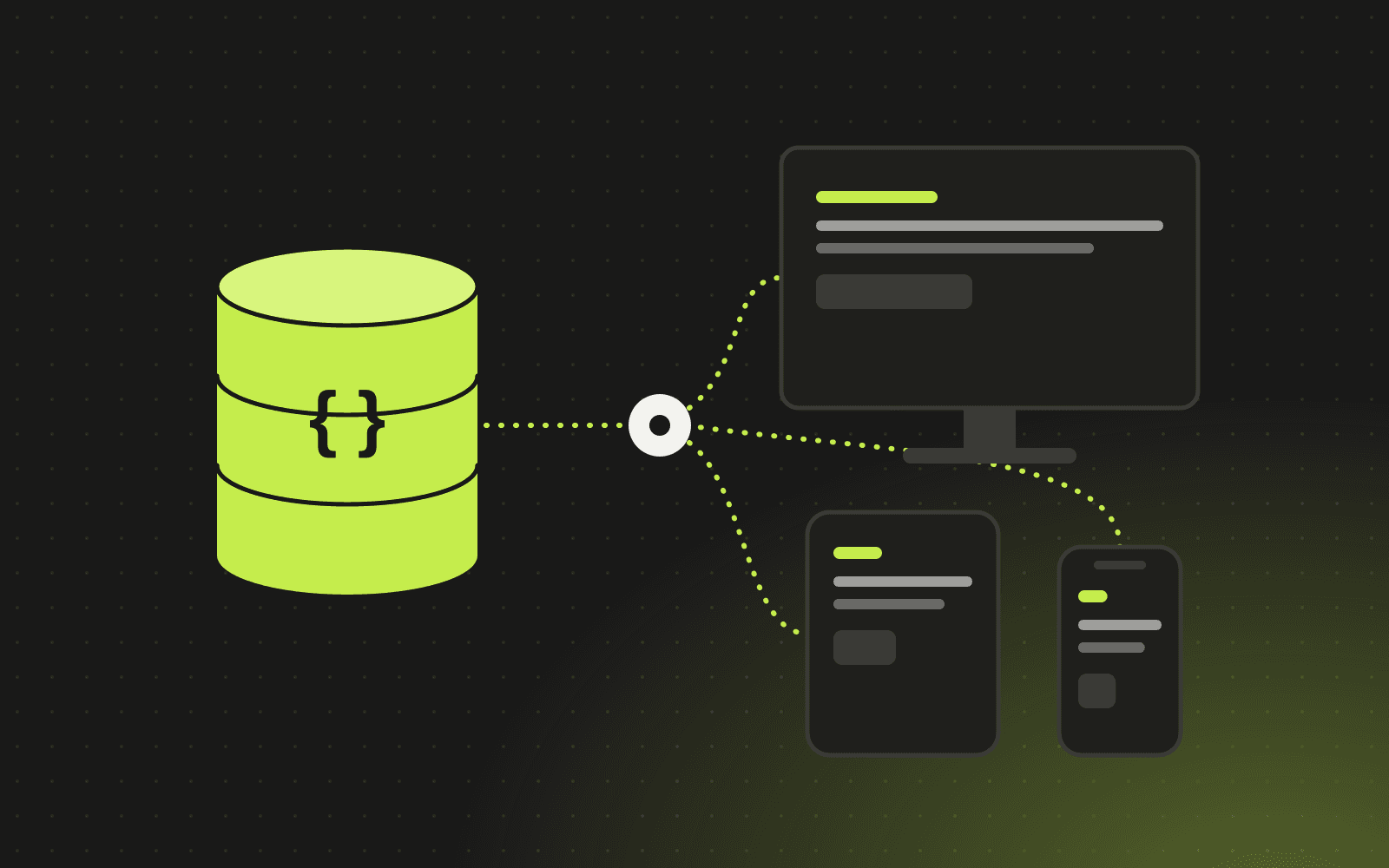
A headless CMS only stores and manages content. A separate front end, often built with a modern framework like Next.js, fetches that content and renders the website. The "head" (the presentation layer) is decoupled from the content.
That separation is what gives headless sites their speed and flexibility, and it is also what makes them more involved to build.
Where headless wins
Speed
Headless sites can be pre-rendered and served from a global network, so pages load very quickly. Fast pages improve user experience, conversion rates and Core Web Vitals, which are part of how Google evaluates pages.
Security
There is no public admin login on the website itself and far fewer plugins, which shrinks the attack surface considerably compared with a typical plugin-heavy WordPress site.
Design freedom
Designers and developers are not limited by a theme. Every interaction, animation and layout can be built exactly as intended.
Content in more than one place
The same content can power your website, a mobile app, a customer portal or other channels through an API.
Scaling with your business
Headless architecture makes it straightforward to connect your website to your CRM, ERP and automation tools as you grow.
Where WordPress wins
Speed to launch and cost
With an existing theme and well-known plugins, a WordPress site can launch quickly and affordably. That matters for a new business or a simple marketing site.
Familiar editing
Many marketing teams already know WordPress. Its visual editors make simple page changes easy without a developer.
Plugin ecosystem
Need a form, booking calendar, store or membership area? There is probably a plugin for it. Just be selective, because every plugin is code you need to update and trust.
Talent pool
WordPress developers are easy to find, which keeps maintenance options open.
The trade-offs at a glance
- Performance: headless is usually faster out of the box. WordPress can be fast, but it needs careful optimisation.
- Security: headless has a smaller attack surface. WordPress needs regular updates and good plugin hygiene.
- Build cost: WordPress is usually cheaper to build. Headless needs more development up front.
- Editing: WordPress is familiar to many teams. A good headless CMS can be just as easy, but it has to be set up thoughtfully.
- Flexibility: headless gives near-total freedom. WordPress is flexible within its theme and plugin system.
What about SEO?
Both can rank extremely well. Good SEO comes from content quality, site structure, technical basics and speed, not the CMS name. Headless sites have an advantage on performance, while WordPress has mature SEO plugins. Whichever you choose, make sure it supports clean URLs, metadata, sitemaps, structured data and fast loading.
If you are moving platforms, plan the migration carefully. Our website redesign SEO checklist explains how to switch without losing rankings.
Which should you choose?
Choose WordPress if:
- You need a straightforward marketing site launched quickly
- Your budget is tight
- Your team already knows WordPress well and changes are mostly simple pages
Choose headless if:
- Speed, design quality and conversion rates are central to your business
- You want your website tightly connected to your CRM, ERP or automations
- You plan to grow features over time, or publish content to more than one channel
- Security and long-term maintainability matter
There is also a middle path: using WordPress as a headless CMS with a modern front end. It keeps the familiar editor while gaining much of the performance benefit.
Frequently asked questions
Is a headless website harder to edit?
It does not have to be. A well-configured headless CMS gives editors clear fields, previews and simple publishing. The setup just needs to be designed around your team.
Can we move from WordPress to headless later?
Yes. Content can be migrated, and with careful redirects you can keep your search rankings.
Is a headless website more expensive to maintain?
Often it is cheaper to maintain day to day, because there are fewer plugins and fewer security updates. Larger feature changes need a developer.
Which CMS do you recommend for headless?
It depends on your team, but we often use Payload, an open-source CMS built for Next.js, because it lets you own your content and code with no per-seat licence fees.
Not sure which fits your next website? Talk to us. We build both and will recommend the one that suits your goals, not our preference.
Written by Antechinno Team